Designing ColorPal—a new AI tool for digital artists that feels intuitive and seamless
Role
Product Designer (Student project, MFA)
Outcomes
New product concept, hi-fi prototypes
TEAM
2 Product Designers, 1 Faculty Advisor
Duration
March - May 2023
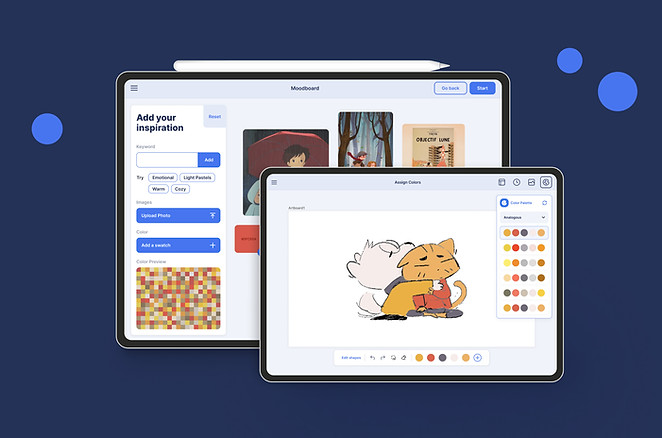
Overview/
Using AI to help artists build creative confidence and automate laborious tasks
Problem/ Choosing colors is an intimidating for beginner and intermediate digital artists. A 2018 Adobe Creative Survey found that 34% of creatives struggle most with selecting the right color palette at the start of a project. Moreover, artists toggle between 3–5 tools just to experiment with color (2021 UX Collective report). Switching between palette generators, reference boards, color pickers disrupts their creative flow.
Solution/ ColorPal is an iPad application designed to reduce this friction. It’s an AI-powered tool that helps digital artists explore, experiment with, and apply color palettes directly within their workspace—turning a source of hesitation into one of inspiration.
MY Contributions
-
Generative research: in-depth user interviews, expert interviews
-
Evaluative research: competitive analysis, user testing
-
Product/UX Design: ideation, prototyping, co-creation sessions, testing, iterations

challenge
How might we empower artists to explore, choose, and apply color with ease?
Research/
Narrowing down to a target user group
To explore design opportunities, we conducted six in-depth interviews with creative professionals from diverse domains and experience levels. That helped us understand their creative process, how they use color, the tools they rely on, and the challenges they encounter.
We found a use case: design a color palette generator and application tool for aspiring illustrators who are in the early stages of learning color theory.
Narrowing down helped surface more nuanced needs and pain points. We believe that these deeper insights will lead to innovative features that can be scaled up to support a broader creative audience.

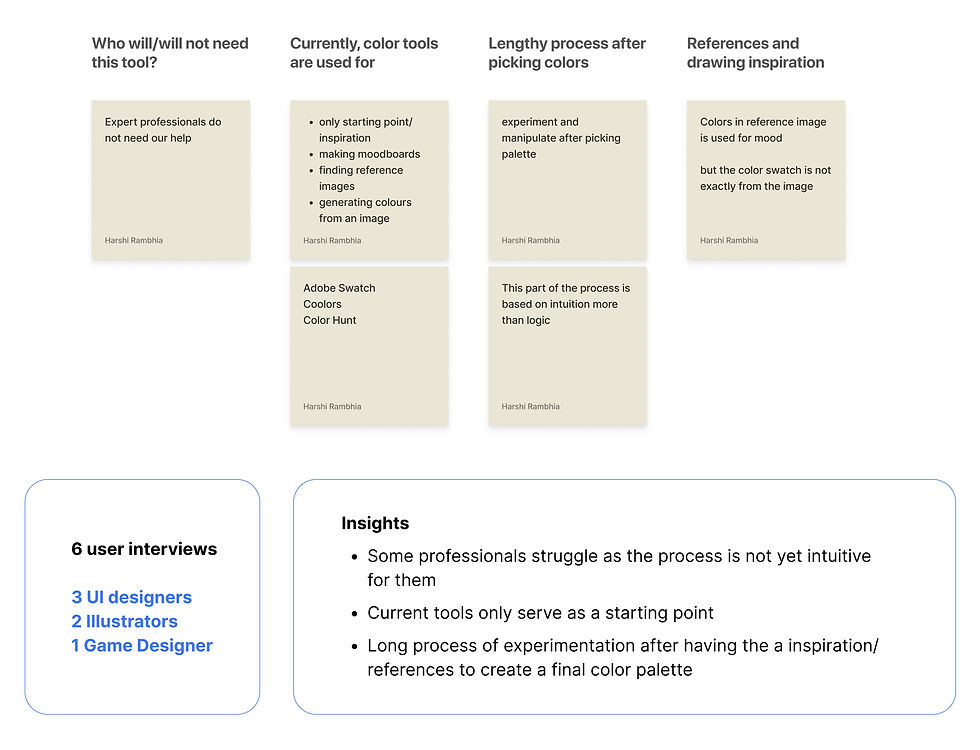
Research summary
Pain points in choosing, experimenting and applying colors
We conducted user interviews, a competitive audit, and mapped the workflow. The pain points were:
👎🏼 Saturated yet insufficient
The abundance of color palette generators confirms the demand—but also reveals a lack of tools that stand out by supporting deeper creative needs or intuitive use.
🔻 Underutilized AI:
While AI-powered color tools do exist, they aren’t widely adopted. Current prompt interfaces often feel disconnected from the organic, exploratory nature of an illustrator's process.
🙁 Fragmented workflows
Most tools help generate palettes but stop there—offering no support for applying those palettes directly to the artwork. This forces illustrators to switch between multiple apps, breaking creative flow.
💬 Rigid prompt/input methods
Most AI color tools rely on text-based inputs or static selection interfaces, but illustrators think visually—through mood boards or sketches—revealing an opportunity for more intuitive, visual prompting.
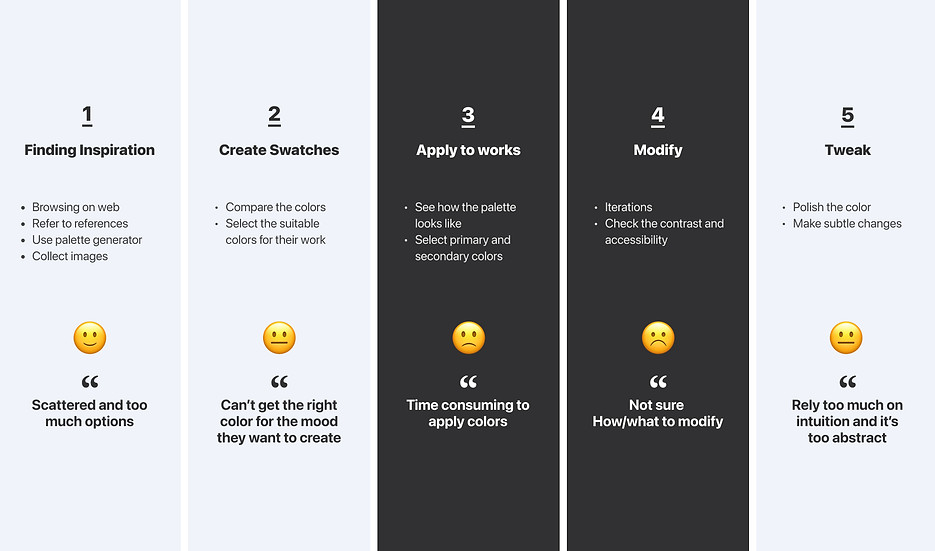
Revised problem statement
How might we create an AI-powered tool to help aspiring illustrators generate, experiment, and apply color palettes seamlessly?
Co-creation/
Designing with illustrators
We ran a focused design sprint to rapidly ideate and prototype early concepts. These low-fidelity prototypes were then shared with expert illustrators—not just for feedback, but for active collaboration.
Through these co-creation sessions, we shaped a more intuitive user flow, tested key features early, and gathered critical insights on what to add, refine, or remove. Involving real users in the design process helped ground our decisions in practical needs and creative workflows.
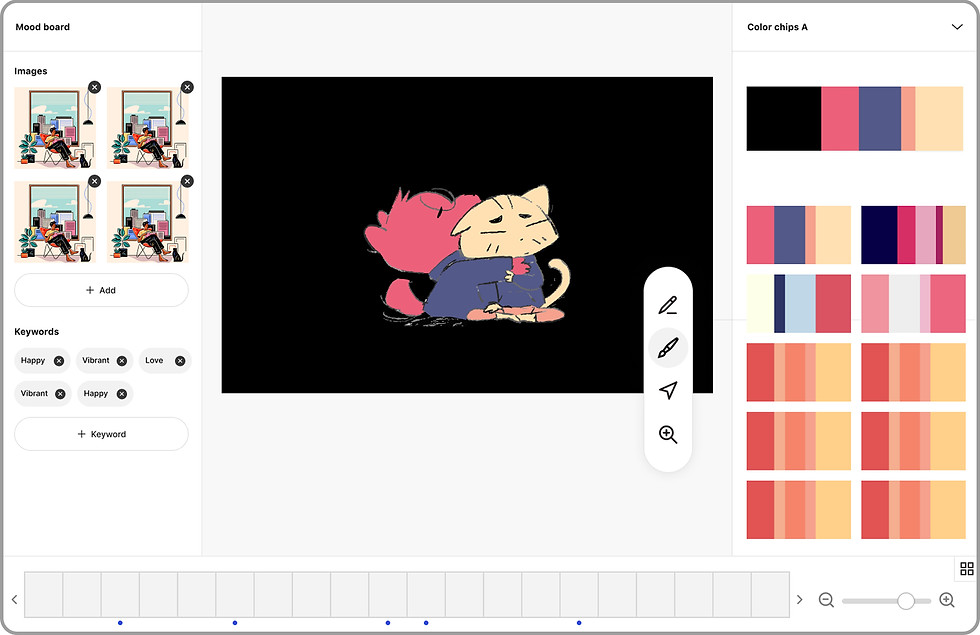
Early prototype
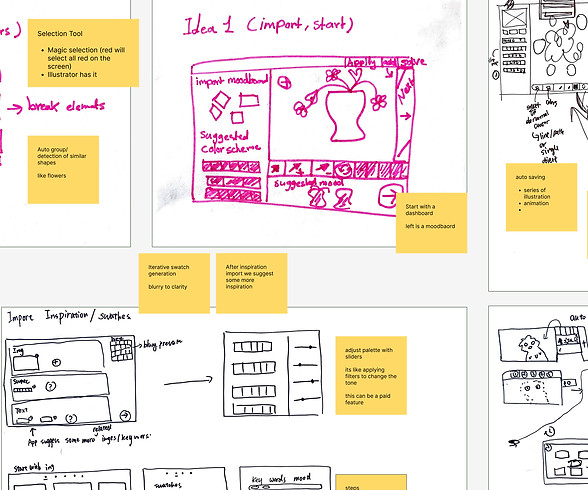
Co-creation
...applying colors automatically is great! If the tool can streamline more laborious work it will be really helpful
I am not sure how the mood board works, I would want to see the recommendation list, like trends-color in trends, color people like... I usually just pick one color I like and select on the color wheel that goes well with the one color.
I am confused, how would I edit a color palette after choosing one?
Quotes from co-creation sessions
Final iteration/
Focusing on 3 key features
Even with a simple prototype, we received a wealth of feedback and valuable insights. For the scope of this project, moving forward we focused on three core aspects of the product:
-
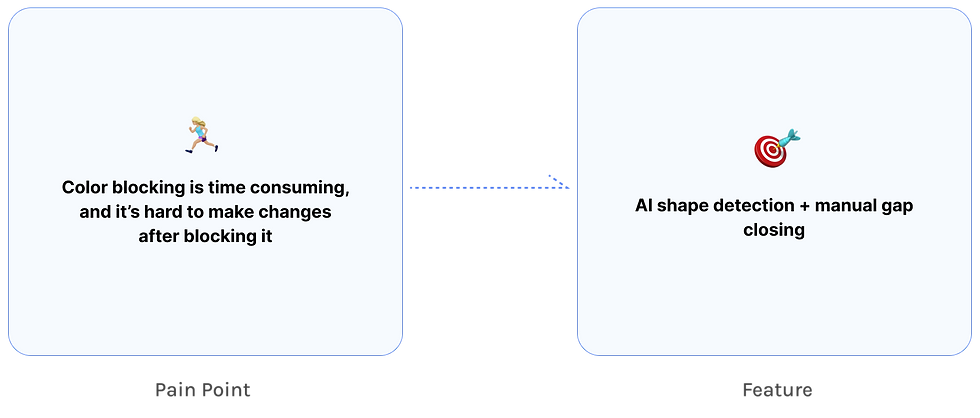
Auto-detect shapes but with manual control: detecting shapes for color blocking while allowing users to close gaps manually for their desired control
-
Mood board as an input for AI: enabling users to visually guide the AI using reference images instead of relying solely on text prompts
-
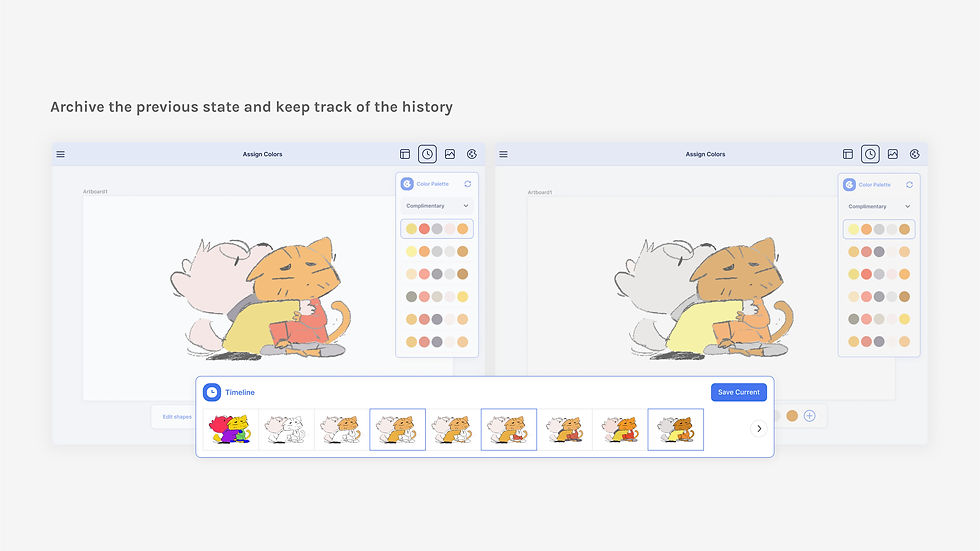
Tweaking and applying palettes: giving users more control to adjust and apply palettes directly within their workflow
1. Define shapes
Balancing automation with creative control

2. Generate palettes with a mood board
Natural, visual prompting


3. Tweak and apply colors
Supporting the creative experimentation process


Next steps
Validate with target users
So far, we've shaped key product features based on expert feedback due to time and resource constraints. The next step is to test user flows with aspiring illustrators—our primary users—to ensure the product truly meets their needs.
Refine usability
Our research helped us identify what’s desirable, but there’s more work to make the product intuitive. Since some interactions and features are novel, we anticipate a learning curve and will continue refining the experience for ease of use.